Minecraft skin base · Plain bodies
Plain base, cocoa
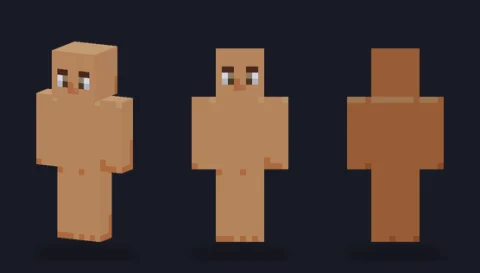
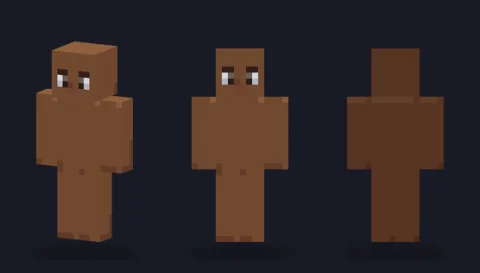
A hair-ready body in tone 5 (cocoa) with a simple face and soft three-side shading: the blank figure to dress into your own character.

Our take
A rich cocoa body that holds detail well: light clothing and bright accessories pop against it, and its shading still reads in low in-game light.
What it's good for
Dark-brown skin tones, characters wearing white, gold or neon accents, and anyone building a set of friends with a range of skin tones from the same family of bases.
Design notes
Four cocoa tones carry the form: main front, darker right side, deepest back, and a lifted head top (#8d654d against the #7e5135 front) so the scalp separates from any hair you add. Very dark eyes with white corners and a neutral mouth keep the face simple. Nothing is on the overlay layer.
Measured palette: the main colour groups in the file, with the share of painted pixels each covers.
#6d412c51%#7e513533%#96664210%#5c33246%
Customise it in the editor
- Paint hair one or two steps darker than the darkest skin tone so the hairline stays visible in game.
- Try a white tee or a light hoodie: the contrast at the wrists and neck makes the outfit look crisp.
- Use a single bright overlay piece, like a headband or wristbands, as the character's signature colour.
Open plain base, cocoa in the editor to try these: it loads on the classic model, and the slim version is one click away too.
Classic or slim?
Classic is the default here. If your character is lighter-built, the Slim download carries exactly the same cocoa shading on narrower arms.